
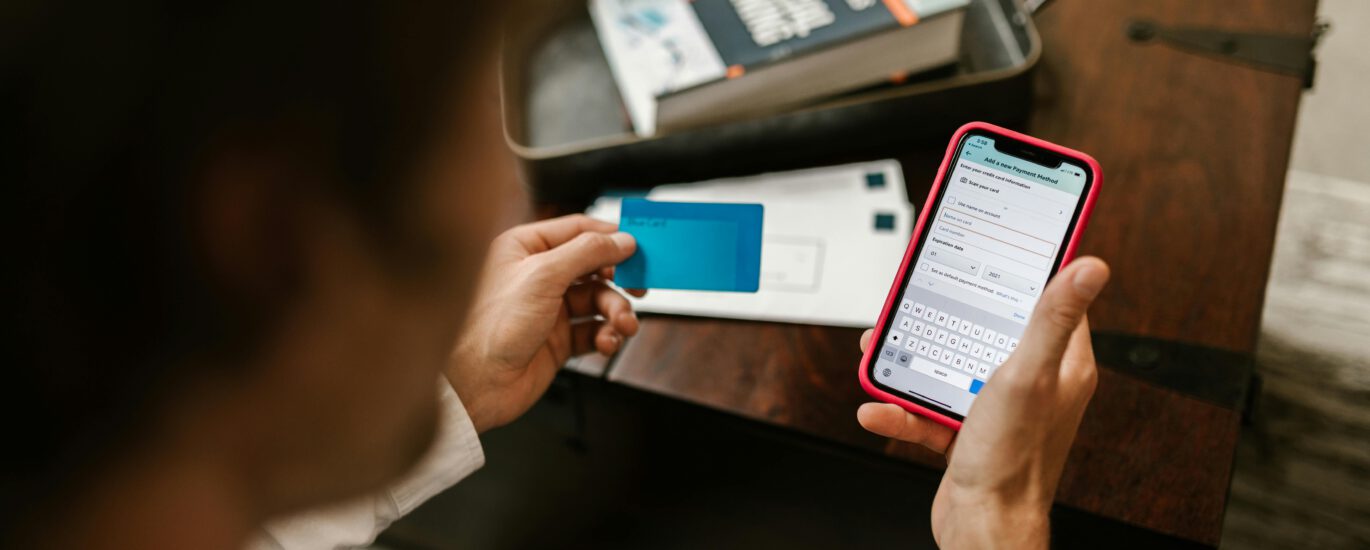
Moving to a new country often means juggling unfamiliar banking apps, navigating in-branch visits where procedures feel completely foreign, and firing off support tickets when something inevitably goes wrong at 11 PM on a Sunday. You don’t need perfect financial literacy or a degree in international banking to succeed, you need clear questions, concise descriptions of your situation, and calm escalation paths when things get complicated.
This comprehensive guide provides a practical, language-first blueprint for everyday banking tasks, from opening your first account in a new country to troubleshooting declined cards, setting up recurring payments, and understanding why your international transfer is still pending after three days. You’ll find abblino prompts tailored to banking scenarios, ready-to-paste phrase banks organized by common situations, and a structured approach to building the confidence you need to walk into any bank branch or navigate any banking app without second-guessing every word.
Important note: This is language guidance and practical communication support, not financial advice. Always follow local banking regulations, verify information with official sources, and seek professional guidance for complex financial issues, tax implications, or legal questions related to international banking.
Table of Contents
ToggleTL;DR: Banking Better Abroad
Daily practice (15–25 minutes):
- 8–12 minutes: abblino role-play sessions covering real scenarios (opening accounts, navigating apps, calling support lines)
- 3–5 minutes: Phrase review with attention to full sentences, natural stress patterns, and appropriate pauses
- 3–8 minutes: Input → output cycle (read banking app instructions or watch a tutorial, then retell the process in 60–90 seconds)
Core banking communication moves:
- Identify the specific task and gather all required documents beforehand
- Confirm requirements before scheduling appointments or starting applications
- Practice key phrases and questions in context, not in isolation
- Verify outcomes and save confirmations (screenshots, emails, reference numbers)
- Track successful interactions to build a personal phrase library
Communication priorities:
- Use polite requests and softening language to reduce friction (“Could you possibly…,” “I was wondering if…”)
- Ask direct questions when you need specific information (“What documents do you need?” not “I’m not sure what I need”)
- Confirm understanding by repeating key information back in your own words
- Request written confirmation for anything important
Weekly tracking goals:
- Banking tasks completed successfully: ____ (goal ≥ 2)
- App navigation sequences mastered: ____ (goal ≥ 3)
- Real conversations where you used prepared phrases: ____ (goal ≥ 5)
- One smoother 60–90 second banking scenario retell (opening account, explaining a transfer issue, describing app features)
Understanding the Banking Landscape as an Expat
Banking abroad introduces layers of complexity that domestic banking never prepared you for. You’re not just learning new software interfaces or memorizing new PIN codes, you’re navigating entirely different banking cultures, regulatory frameworks, documentation requirements, and communication expectations.
Common banking scenarios expats face
Account opening and onboarding:
- Basic current/checking accounts for everyday transactions
- Student accounts with reduced fees and special benefits
- Premium accounts offering international transfer benefits and multi-currency features
- Savings accounts with varying interest rates and access restrictions
- Joint accounts with partners or family members
- Business accounts if you’re freelancing or running a company
Digital banking and security:
- Initial app setup and biometric authentication
- Two-factor authentication (2FA) configuration via SMS, email, or authenticator apps
- Setting up transaction notifications and spending alerts
- Managing security questions and backup contact methods
- Understanding app navigation in a new language or interface design
- Troubleshooting login issues and locked accounts
Payments and transfers:
- Domestic transfers between local bank accounts
- International transfers (SWIFT, SEPA, specialized services)
- Setting up direct debits for rent, utilities, and subscriptions
- Standing orders for regular payments
- Card payments online and in-person
- Contactless payment setup and limits
- Mobile payment integration (Apple Pay, Google Pay, local equivalents)
Personal finance management:
- Understanding monthly maintenance fees and how to avoid them
- ATM withdrawal limits and fees (domestic and international)
- Foreign exchange rates and conversion charges
- Overdraft facilities and associated costs
- Interest calculations on savings and debts
- Account statements and transaction histories
- Credit checks and credit score building as a newcomer
Troubleshooting and problem resolution:
- Cards declining unexpectedly (security holds, limits reached, technical errors)
- Transfers stuck in processing or returned
- Identity verification holds on new accounts
- Disputed transactions and fraud reports
- Lost or stolen cards requiring emergency replacement
- Account access issues after traveling
- Incorrect charges or unexpected fees
Documentation and compliance:
- Initial identity verification (passport, national ID, residence permit)
- Proof of address requirements (utility bills, rental contracts, official letters)
- Proof of income or employment (pay slips, employment contracts, tax returns)
- Tax identification numbers and reporting obligations
- Residence documentation for non-citizens
- Regular compliance updates as regulations change
Customer service interactions:
- Phone support navigation (automated menus, wait times, transfers between departments)
- In-branch appointments and walk-in visits
- Online chat support and email tickets
- Escalation procedures when first-line support can’t resolve issues
- Complaint processes for serious problems
- Feedback and service improvement suggestions
Pick 1–2 scenarios per practice session. Trying to master everything at once leads to overwhelm. Focus deeply on the situations you’ll encounter this week, then gradually expand your banking vocabulary as you gain confidence.
Comprehensive Phrase Bank (copy, personalize, reuse)
Each phrase is tagged by scenario and formatted with CAPS for natural stress and / for helpful pauses. Read each phrase aloud at least three times before using it in real situations, your mouth needs to know the shape of these words before your brain can deploy them under pressure.
Opening an account & initial onboarding
Starting the conversation:
- “Hello, I’m [Name]. / I’m an EXPAT who recently moved here / and I’d like to OPEN a new account. / Could you guide me through the PROCESS?”
- “Good morning. / I need to set up a BANK account / as I’ve just started WORKING in [city]. / What OPTIONS do you recommend?”
- “I’m here to OPEN an account. / I’m not SURE which type would be BEST for my situation. / Could we DISCUSS the different options?”
- “I was REFERRED by [friend/company/website]. / They mentioned you have ACCOUNTS designed for international residents. / Is that CORRECT?”
Asking about requirements:
- “What DOCUMENTS will I need to bring / to complete the APPLICATION today?”
- “I DON’T have a local address YET / as I’m staying in temporary accommodation. / What ALTERNATIVES are acceptable?”
- “My residence PERMIT is still being processed. / Can I open an account with PROOF of application, / or do I need the ACTUAL permit?”
- “How long does the VERIFICATION process typically take, / and when will I be able to ACCESS the account?”
- “Are there any MINIMUM deposit requirements / to open this type of ACCOUNT?”
Comparing account types:
- “What’s the DIFFERENCE between the basic account / and the PREMIUM option?”
- “Could you EXPLAIN the monthly fees / and any ways to WAIVE them?”
- “Which account includes FREE international transfers, / and what are the LIMITS?”
- “Does the STUDENT account require proof of enrollment, / and what BENEFITS does it offer?”
Confirming next steps:
- “So I’ll RECEIVE my card in 5–7 business days, / and I can activate ONLINE banking immediately. / Is that CORRECT?”
- “You mentioned I need to VISIT again with proof of address. / Can I EMAIL it instead, / or does it have to be IN PERSON?”
- “Will I receive CONFIRMATION by email / once my account is FULLY activated?”
App onboarding, security, and digital banking
Initial setup:
- “I’d like to ENROLL in online banking. / What STEPS should I follow today?”
- “I’ve DOWNLOADED the app, / but I’m not sure how to LINK it to my new account. / Can you walk me through the PROCESS?”
- “The app is asking for an ACTIVATION code. / Where should I have RECEIVED it?”
- “I need to REGISTER for the mobile app. / Do I use my account NUMBER or something else?”
Security configuration:
- “How do I ENABLE two-factor authentication, / and what OPTIONS do I have / for receiving the CODES?”
- “I’d like to set up BIOMETRIC login with my fingerprint. / Is that AVAILABLE on this app?”
- “Could you help me configure TRANSACTION alerts? / I want to be notified for EVERY payment over [amount].”
- “What should I do if I LOSE my phone / and need to ACCESS my account?”
- “How do I UPDATE my security questions / if I think they’re too EASY to guess?”
Navigation and features:
- “Where can I find my ACCOUNT number and SORT code in the app?”
- “How do I DOWNLOAD my monthly statements / as PDF files?”
- “I’m trying to VIEW my transaction history / from last MONTH, / but I can only see this week. / Where’s the FILTER option?”
- “Does the app have a feature to CATEGORIZE my spending / by type?”
Troubleshooting access:
- “I’ve forgotten my PASSWORD and the reset email / hasn’t ARRIVED. / What should I do NEXT?”
- “The app says my account is LOCKED / after too many login attempts. / How can I UNLOCK it?”
- “I’m getting an ERROR message: [read exact message]. / What does this MEAN?”
Transfers, payments, and transaction management
Setting up domestic transfers:
- “How do I set up a TRANSFER to another account / in this COUNTRY?”
- “What information do I need to SEND money to someone? / Just their account number, / or do I need their SORT code too?”
- “Is there a LIMIT on how much I can transfer / in a single TRANSACTION?”
- “How LONG will it take for the money to ARRIVE / in the recipient’s account?”
International transfers:
- “I need to send money to [COUNTRY]. / What OPTIONS do you offer / for international transfers?”
- “Could you EXPLAIN the fees for international transfers / and how the EXCHANGE rate is calculated?”
- “What’s the DIFFERENCE between a SWIFT transfer / and a SEPA payment?”
- “Are there any INTERMEDIARY banks involved, / and will they charge SEPARATE fees?”
- “How do I TRACK my international transfer / once I’ve SENT it?”
- “What’s the RECIPIENT bank’s SWIFT code, / and where can I FIND it?”
- “Will the recipient RECEIVE the full amount, / or will fees be DEDUCTED from it?”
Direct debits and standing orders:
- “How do I set up a DIRECT debit / for my monthly RENT payment?”
- “What’s the difference between a direct DEBIT / and a standing ORDER?”
- “I need to CANCEL a direct debit / for a subscription I no longer USE. / Where do I do that in the APP?”
- “Can I set up a RECURRING transfer / to my savings account / every MONTH?”
Card payments:
- “I tried to make an ONLINE purchase / but my card was DECLINED. / What could be the ISSUE?”
- “How do I ENABLE contactless payments / on my new CARD?”
- “What’s my daily LIMIT for card payments, / and can I TEMPORARILY raise it?”
- “I need to make a large PURCHASE tomorrow. / Can you increase my card LIMIT for 24 hours?”
Understanding fees, limits, and account features
Monthly fees:
- “What are the MONTHLY maintenance fees / for this account, / and are there ways to AVOID them?”
- “If I maintain a minimum BALANCE, / will the monthly fee be WAIVED?”
- “I was charged a FEE I didn’t expect. / Could you explain what it was FOR?”
Withdrawal and spending limits:
- “What’s my daily ATM withdrawal limit?”
- “Are there FEES for using ATMs / from other BANKS?”
- “If I withdraw cash ABROAD, / what fees apply / and what exchange RATE is used?”
- “Can I INCREASE my daily spending limit PERMANENTLY, / or only temporarily?”
Exchange rates and currency:
- “How often do your EXCHANGE rates update?”
- “Is the rate shown in the app / the rate I’ll ACTUALLY get, / or are there additional MARKUPS?”
- “Can I hold MULTIPLE currencies / in my account?”
Interest and savings:
- “What INTEREST rate do you offer / on savings accounts?”
- “Are there any RESTRICTIONS on how often I can withdraw / from my savings ACCOUNT?”
- “Will I be TAXED on the interest earned?”
Troubleshooting banking issues
Card problems:
- “My card was DECLINED at [store/online]. / What should I CHECK first?”
- “I LOST my card. / How quickly can I get a REPLACEMENT?”
- “My card was STOLEN. / I need to BLOCK it immediately / and report FRAUD.”
- “The CHIP on my card isn’t working properly. / Can I get a new one ISSUED?”
- “I’m traveling to [country] next WEEK. / Do I need to NOTIFY the bank / to prevent my card being BLOCKED?”
Transfer failures:
- “I sent a transfer THREE days ago / but it’s still showing as PENDING. / What’s the HOLDUP?”
- “The recipient says they HAVEN’T received my payment. / Can you TRACE it?”
- “My international transfer was RETURNED. / What went WRONG?”
- “I entered the wrong account NUMBER. / Can the transfer be REVERSED?”
Verification and security holds:
- “My account has been FLAGGED for verification. / What do I need to PROVIDE?”
- “There’s a SECURITY hold on my account / and I can’t access my MONEY. / How do I RESOLVE this?”
- “Why do I need to VERIFY my identity again? / I already did this when I OPENED the account.”
- “The app is asking me to UPDATE my personal information. / Is this LEGITIMATE or could it be PHISHING?”
Account access issues:
- “I can’t LOG IN to my account. / The system says my credentials are INVALID.”
- “I’ve moved to a new ADDRESS. / How do I update this / in your SYSTEM?”
- “My PHONE number has changed / and now I can’t receive 2FA codes. / How do I update it?”
Requesting help and escalating issues
Asking for clarification:
- “I’m SORRY, I didn’t quite understand that. / Could you EXPLAIN it in simpler terms?”
- “Could you REPEAT that more slowly, please?”
- “I’m not FAMILIAR with that term. / What does [term] MEAN exactly?”
Requesting written confirmation:
- “Could you please SEND me a written summary / of our conversation / and the NEXT steps?”
- “Is it possible to get this CONFIRMED by email / so I have a RECORD?”
- “Can you PROVIDE a reference number / for this request?”
Escalating to supervisors:
- “I APPRECIATE your help, / but this issue hasn’t been RESOLVED. / Could you please ESCALATE to a supervisor?”
- “I’ve CALLED three times about this problem. / I need to speak with someone / who can AUTHORIZE a solution.”
- “This is URGENT. / Is there a manager AVAILABLE / who can help me today?”
Filing complaints:
- “I’d like to FILE a formal complaint / about [issue]. / What’s the PROCESS?”
- “This situation hasn’t been HANDLED properly. / Who do I CONTACT / to escalate beyond this branch?”
- “Could you provide me with the DETAILS / for your complaints DEPARTMENT?”
Polite connectors and professional tone markers
Use these to sound more fluent and professional:
- “HOWEVER, I was under the impression that…”
- “THEREFORE, I’d like to request…”
- “For INSTANCE, when I tried to…”
- “As a RESULT, I’m unable to…”
- “On the OTHER hand, if I…”
- “ADDITIONALLY, I need to know…”
- “REGARDING the fees you mentioned…”
- “In THAT case, what would you recommend?”
- “Just to CLARIFY…”
- “If I UNDERSTAND correctly…”
abblino Prompts for Banking Practice
abblino excels at creating realistic, pressure-free environments where you can practice banking scenarios until they feel natural. Here are detailed prompts you can use, along with instructions on correction levels and feedback types.
Account opening scenarios
Prompt:
“I’m opening a bank account as an expat. I’ll provide my details and ask about 2–3 account options. Ask me follow-up questions about my situation (employment status, income source, residence status) and recommend appropriate accounts. Correct only major errors that would cause confusion. After the role-play, give me 1 upgraded phrasing for a key question I asked.”
Expected flow:
- You introduce yourself and state your purpose
- abblino asks qualifying questions
- You answer and ask about different account types
- abblino explains options and fees
- You choose an account and ask about next steps
- abblino summarizes requirements and timeline
What to practice:
- Explaining your situation clearly and concisely
- Asking comparison questions (“What’s the difference between…”)
- Understanding fee structures
- Confirming requirements and timelines
App onboarding and security setup
Prompt:
“Guide me through setting up mobile banking with two-factor authentication. I’ll ask questions about security options and app features. Explain the process step-by-step, then ask me to summarize what I learned in 6–8 sentences. Correct only if I misunderstand a critical security step.”
Expected flow:
- You ask how to download and register for the app
- abblino provides step-by-step instructions
- You ask about 2FA options
- abblino explains SMS, email, and authenticator app options
- You choose a method and confirm setup
- You summarize the process in your own words
What to practice:
- Following multi-step technical instructions
- Asking clarifying questions when confused
- Understanding security terminology
- Retelling procedures accurately
International transfer simulation
Prompt:
“I need to send money to [country] and I’m not sure about the fees or process. Explain the steps, required information, fees, and timeline. Then provide 2 alternative phrasings for asking about exchange rates, and give 1 tone note about sounding appropriately cautious when dealing with large amounts.”
Expected flow:
- You explain what you need to do (send X amount to Y country)
- abblino asks for details (recipient information, urgency, amount)
- You provide details and ask about fees
- abblino explains fee structure, exchange rates, and timeline
- You confirm understanding and ask about tracking
- abblino provides alternative phrases for rate inquiries
What to practice:
- Providing complete information upfront
- Understanding complex fee structures
- Asking about exchange rate margins
- Confirming transfer details before authorizing
Troubleshooting declined cards
Prompt:
“My card was just declined at an online store and I don’t know why. I’ll describe what happened. You give me 1 quick diagnostic question, 1 immediate fix if applicable, and 1 longer-term solution to prevent this issue. Keep your language simple, I’m stressed.”
Expected flow:
- You describe the situation (where, when, what error message)
- abblino asks a diagnostic question (Have you traveled recently? Is this a new merchant? Have you checked your limits?)
- You answer
- abblino provides immediate fix (Call this number, check this setting, try this alternative)
- abblino explains longer-term prevention (Set up alerts, notify bank before travel, increase limits)
What to practice:
- Staying calm and describing problems clearly
- Answering diagnostic questions accurately
- Understanding immediate vs. long-term solutions
- Following action steps in order of priority
Fee structure explanation
Prompt:
“Break down the monthly fees, ATM charges, and international transaction costs for my account type. After you explain, I’ll ask follow-up questions. Provide 1 smoother alternative phrasing for how I ask about fee waivers.”
Expected flow:
- You ask about fees for your specific account
- abblino lists monthly maintenance, ATM, foreign transaction, transfer fees
- You ask clarifying questions (How do I avoid the monthly fee? Which ATMs are free?)
- abblino explains waiver conditions and cost-saving strategies
- abblino provides smoother phrasing for fee waiver requests
What to practice:
- Understanding itemized fee structures
- Identifying which fees are avoidable
- Asking strategic questions about waivers
- Sounding confident when negotiating or requesting information
Customer service follow-up email
Prompt:
“We just had a phone call about [issue]. Help me write a professional follow-up email that summarizes our conversation, confirms the agreed next steps, and includes 1 polite request for written confirmation of the solution timeline.”
Expected flow:
- You tell abblino what was discussed
- abblino drafts a structured email (greeting, summary, confirmed action items, request for confirmation, polite closing)
- You review and request adjustments for tone or content
- abblino refines
What to practice:
- Summarizing verbal conversations in writing
- Using professional email structure
- Making polite but firm requests for confirmation
- Creating a paper trail for important interactions
Appointment scheduling and in-branch prep
Prompt:
“I need to schedule a branch appointment to resolve [issue]. Help me prepare: 1) what to say when booking, 2) what documents to bring, 3) 3 key questions to ask during the meeting. Then role-play the appointment phone call with me.”
Expected flow:
- You ask how to request an appointment
- abblino provides phone script and booking language
- You practice booking conversation
- abblino lists required documents
- abblino suggests strategic questions
- You role-play the appointment itself
What to practice:
- Clearly stating your purpose when booking
- Confirming appointment details (date, time, location, who you’ll meet)
- Preparing documents and questions in advance
- Making the most of in-person meetings
General settings for all abblino banking prompts:
- Correction level: “Major errors only” to maintain confidence while learning
- Feedback style: “Practical and concise” with 1–2 specific improvements per session
- Role: “Bank employee” or “customer service agent” depending on scenario
- Pace: “Speak at normal conversational speed, but pause for me to process complex information”
The 14-Day Banking Language Sprint
This intensive 14-day program builds banking confidence through focused daily practice. Each session takes 15–25 minutes and targets specific skills. Track your progress daily and celebrate small wins, every completed session is proof you’re building real competence.
Week 1: Foundations and Account Setup
Day 1: Account opening dialog (Part 1)
- Goal: Master introduction and initial questions
- 8 min: Role-play with abblino (introduce yourself, state purpose, ask about account options)
- 4 min: Write down 8–10 phrases that felt useful
- 3 min: Read phrases aloud 3 times each with attention to stress and pauses
- Success metric: Can introduce yourself and ask for 2–3 account options without notes
Day 2: Account opening dialog (Part 2)
- Goal: Compare account types and understand requirements
- 10 min: Continue role-play (compare features, ask about fees, confirm requirements)
- 3 min: Write comparison questions template (“What’s the difference between X and Y in terms of Z?”)
- 2 min: Practice just the comparison questions 5 times
- Success metric: Can ask meaningful comparison questions and understand 3 key differences
Day 3: App onboarding fundamentals
- Goal: Navigate registration and initial login
- 8 min: Role-play app setup (download, register, create password, first login)
- 5 min: Write step-by-step summary of registration process
- 2 min: Read summary aloud as if explaining to a friend
- Success metric: Can explain registration process in 60–90 seconds without referring to notes
Day 4: Security setup (2FA and notifications)
- Goal: Configure security features confidently
- 10 min: Practice 2FA setup conversation and security questions
- 3 min: List 3 security questions you might encounter and prepare answers
- 2 min: Practice saying your security answers clearly (name spelling, dates, addresses)
- Success metric: Can explain why you chose specific 2FA method and set up preferences
Day 5: Domestic transfers
- Goal: Send money within your new country
- 8 min: Role-play setting up a local transfer (gather information, enter details, confirm)
- 4 min: Create a checklist of information needed for domestic transfers
- 3 min: Practice asking for each piece of information naturally
- Success metric: Can list all required information and complete a simulated transfer
Day 6: International transfers and fees
- Goal: Understand cross-border payments
- 10 min: Practice explaining what you need, asking about fees, confirming rates
- 5 min: Write down all fee-related questions you asked
- 0 min: Compare 2 different phrasings for asking about hidden costs
- Success metric: Can ask about total costs including all fees and intermediary charges
Day 7: Card delivery, activation, and management
- Goal: Handle card lifecycle from order to use
- 8 min: Role-play requesting card, asking about delivery, planning activation
- 4 min: Create FAQ sheet (When will it arrive? How do I activate? What if it’s lost in mail?)
- 3 min: Practice reporting lost/stolen card scenario
- Success metric: Can handle card issues from request through activation to replacement
Week 2: Advanced Features and Problem-Solving
Day 8: Monthly fees deep dive
- Goal: Understand and minimize account costs
- 9 min: Practice conversations about monthly charges, ATM fees, and fee waivers
- 4 min: List all fee types and conditions for waiving them
- 2 min: Practice asking “How can I avoid this fee?” in 3 different polite ways
- Success metric: Can identify 2–3 strategies to reduce or eliminate monthly fees
Day 9: Withdrawal limits and restrictions
- Goal: Navigate daily limits and increase requests
- 8 min: Practice asking about limits and requesting temporary increases
- 5 min: Write scenario: “I need to withdraw large amount for [reason]. How do I do this safely?”
- 2 min: Practice explaining legitimate reasons for limit increases
- Success metric: Can request limit increase with clear reasoning and timeline
Day 10: Troubleshooting real transfer failures
- Goal: Diagnose and resolve stuck payments
- 10 min: Role-play describing a failed transfer, answering diagnostic questions, understanding resolution
- 3 min: Create troubleshooting decision tree (transfer pending → check timeline; transfer returned → check account details; transfer missing → request trace)
- 2 min: Practice staying calm while describing urgent money problems
- Success metric: Can clearly describe transfer problem and follow diagnostic process
Day 11: Customer service via phone
- Goal: Navigate phone trees and speak with agents effectively
- 9 min: Practice introducing yourself, explaining issue, requesting specific help
- 4 min: Write opening statement for 3 different issues (card decline, transfer question, fee dispute)
- 2 min: Practice speaking clearly and not too fast (common phone problem for non-native speakers)
- Success metric: Can state problem and desired outcome in first 30 seconds of call
Day 12: Escalation and complaint procedures
- Goal: Advocate for yourself when frontline support can’t help
- 8 min: Role-play requesting supervisor, explaining why issue isn’t resolved, staying professional
- 5 min: Write professional complaint email template
- 2 min: Practice firm but polite escalation language
- Success metric: Can escalate appropriately without becoming aggressive or passive
Day 13: Banking audit and phrase consolidation
- Goal: Review and reinforce what you’ve learned
- 10 min: Review all saved phrases; select top 20 most useful
- 5 min: Practice top 10 phrases until completely fluent
- 10 min: Write your personal 60–90 second “Banking in [Country] Survival Guide”
- Success metric: Can deliver banking guide from memory with confidence
Day 14: Final polish and future planning
- Goal: Create lasting resources and set new goals
- 15 min: Create one-page banking cheat sheet (emergency numbers, key phrases, app navigation shortcuts, document checklist)
- 5 min: Record yourself explaining one complete banking process (account opening OR transfer OR troubleshooting)
- 5 min: Set 2 banking-related language goals for next month
- Success metric: Have a polished reference document and clear path forward
Sprint targets
- Phrases saved: 25–35 banking-specific phrases organized by scenario
- Scenarios mastered: ≥2 complete scenarios you can navigate without hints
- Real-world practice: ≥5 instances where you used prepared phrases in actual banking situations
- Confidence benchmark: One smooth 60–90 second explanation of a banking process (recorded or delivered to a friend)
Micro-Drills (3–5 minutes, high-impact practice)
These short, focused exercises fit into coffee breaks, commutes, or moments of downtime. They’re designed for maximum retention with minimum time investment.
Banking accuracy bites (numbers and amounts)
Banking requires precision, a misplaced decimal can be expensive. Practice these:
- Currency amounts: “I’d like to transfer two thousand, five hundred euros” (€2,500)
- Account numbers: Break into chunks: “My account number is 1234-5678-9012-3456” → “one two three four / five six seven eight / nine zero one two / three four five six”
- SWIFT/BIC codes: Spell clearly: “The SWIFT code is A-B-C-D-E-F-1-2”
- Percentages and rates: “The interest rate is three point five percent” (3.5%)
- Dates: Use unambiguous format: “The payment is due on the fifteenth of March, twenty twenty-six” not “3/15/26”
Drill: Set a 3-minute timer. Practice reading 10 different amounts/numbers aloud clearly and slowly, as if speaking to a bank employee over a poor phone connection.
App navigation ladder (sequential instructions)
Banking apps require following multi-step processes. Practice describing them clearly:
Level 1 (2 steps):
- “First, tap the ‘Accounts’ icon. Then select ‘View statement.'”
Level 2 (3–4 steps):
- “Open the app, log in with your fingerprint, go to ‘Transfers,’ then tap ‘New payment.'”
Level 3 (5+ steps):
- “To set up a standing order: log in, select the account, tap ‘Payments,’ choose ‘Standing orders,’ tap ‘Add new,’ enter the recipient details, set the amount and frequency, then review and confirm.”
Drill: Watch a banking tutorial video on mute. Narrate the steps you see in real-time, using sequence words (first, then, next, after that, finally).
Troubleshooting quick-fix practice
When something breaks, you need to describe problems precisely and follow solutions quickly.
Error categories to practice:
- Access issues: “I can’t log in” / “My password won’t work” / “The app says my account is locked”
- Transaction failures: “The payment won’t go through” / “It says ‘insufficient funds’ but I have money” / “The transfer is stuck on ‘pending'”
- Card problems: “My card was declined” / “The chip isn’t working” / “I didn’t receive my card yet”
- Security concerns: “I got a suspicious text” / “Someone might have accessed my account” / “I don’t recognize this transaction”
Drill: Pick one error. Describe the problem in 2 sentences, answer 2 diagnostic questions (When did it start? What error message exactly?), then summarize the proposed solution to confirm understanding.
60–90 second banking process retells
Explaining processes fluently proves you understand them and builds confidence.
Processes to master:
- How to open a bank account as an expat
- How to set up online banking and 2FA
- How to make an international transfer
- How to report a lost or stolen card
- How to dispute an incorrect charge
- How to avoid monthly account fees
- How to increase your card spending limit
- How to set up a direct debit for rent
Drill: Choose one process. Set a timer for 90 seconds. Explain the entire process from start to finish without stopping. Record yourself. Listen back and note where you hesitated or where information was unclear. Practice again.
Security-check communication routine
Banks need to verify your identity frequently. Practice responding smoothly:
Common verification questions:
- “What’s your full name?”
- “Can you spell your surname?”
- “What’s your date of birth?”
- “What’s your current address?”
- “What are the last four digits of your account number?”
- “Can you confirm the last transaction on your account?”
Drill: Have abblino or a friend rapid-fire 5 security questions. Answer each clearly and without hesitation. Practice spelling difficult words (street names, surnames) using the phonetic alphabet if needed (Alpha, Bravo, Charlie…).
Polite-but-firm escalation language
Sometimes you need help beyond what first-line support can provide. Practice assertive but professional language:
Escalation phrases to drill:
- “I understand you’re trying to help, but this issue requires supervisor approval. Could you please transfer me?”
- “I’ve explained this situation three times. I need to speak with someone who has the authority to resolve it today.”
- “This is time-sensitive. Is there an escalation procedure for urgent issues?”
- “I appreciate your assistance, but I’d like to request a callback from a manager regarding this matter.”
Drill: Practice these phrases with varying levels of frustration in your voice while maintaining professional word choice. Record yourself. Do you sound firm but respectful, or angry? Adjust until you strike the right balance.
Safety, Privacy, and Trust in Banking
Banking abroad involves sharing sensitive information with institutions and systems you’re still learning to trust. Protect yourself with these practices:
What to NEVER share
Even with official-seeming requests, never provide:
- Full PINs or passwords: No legitimate bank will ever ask for your complete PIN or password. If someone asks, it’s a scam.
- Full card numbers in unsecured channels: Don’t email, text, or say your full card number unless you initiated the contact through official channels
- Security codes from SMS/email immediately upon request: If someone calls claiming to be your bank and asks for the code you just received, pause. This is a common scam. The bank sent you the code, they don’t need you to read it back.
- Remote access to your device: Never let someone claiming to be bank IT support remotely access your phone or computer
Verifying official communication
Before responding to any banking communication:
- Check the sender carefully: Phishing emails often use addresses like “support@yourbank-security.com” instead of “support@yourbank.com”
- Don’t click links in unsolicited messages: Navigate to your bank’s website manually by typing the URL yourself
- Call using the number on your card or official website: Never use a phone number provided in a suspicious email or text
- Check for urgency pressure: Scammers create artificial urgency (“Your account will be locked in 24 hours!”). Real banks don’t operate this way.
- Look for professional language: Official bank communication is professionally written without spelling errors or grammatical mistakes
Secure practices for mobile banking
Protect your banking app and data:
- Use strong authentication: Enable biometric login (fingerprint/face) AND a strong password
- Avoid public Wi-Fi for banking: Public networks can be intercepted. Use mobile data or a trusted VPN
- Enable automatic logout: Set your app to log out after short periods of inactivity
- Keep your app updated: Updates include security patches
- Don’t jailbreak/root your device: This disables security features banks rely on
- Use official app stores only: Never download banking apps from third-party sources
- Check app permissions: If your banking app requests access to contacts, photos, or microphone, question why
In-branch security
When visiting physical branches:
- Use ATMs in well-lit, busy areas: Avoid isolated machines
- Cover the keypad when entering your PIN: Even if no one seems nearby
- Don’t count large amounts of cash publicly: Complete transactions and secure money before leaving the branch area
- Keep documents secure: Don’t leave forms with personal information on the counter
- Verify employee credentials: Bank employees should have visible ID badges
Document security
Protect sensitive banking documents:
- Scan and store securely: Keep digital copies of important documents in encrypted cloud storage or password-protected files
- Shred, don’t just discard: Any paper with account numbers, signatures, or personal data should be shredded
- Use secure transmission: When emailing documents to your bank, use their secure upload portal if available, not regular email
- Mark copies: Write “COPY” on photocopies of important documents to prevent them being used as originals fraudulently
What to do if something feels wrong
Trust your instincts. If you suspect fraud or feel uncomfortable:
- Stop the interaction immediately: Hang up the phone, close the email, leave the website
- Contact your bank through official channels: Use the number on your card or the bank’s official website
- Report the suspicious contact: Banks want to know about scams targeting their customers
- Check your account: Look for unauthorized transactions
- Consider changing passwords: If you shared any information, change your passwords immediately
- File a police report if money was lost: This creates a record for potential recovery and prevents fraud
Using abblino safely for banking practice
abblino is for language practice, not real financial information:
- Never practice with real account numbers, passwords, or PINs: Use fictional information
- Create realistic but fake scenarios: “My account number is 1234-5678” not your actual account number
- Use the practice to build confidence, not to get financial advice: abblino helps you practice communication, not make financial decisions
- Don’t share screenshots of real banking apps containing personal information: Use demo apps or describe features verbally instead
Tracking Your Progress (simple, motivating, actionable)
Progress requires measurement. Keep a simple weekly log to stay motivated and identify areas needing more practice.
Weekly banking language tracker
Tasks completed successfully:
- [ ] Opened bank account or completed onboarding
- [ ] Successfully navigated banking app
- [ ] Completed a transfer (domestic or international)
- [ ] Resolved an issue (card problem, transfer question, fee dispute)
- [ ] Had a successful customer service interaction
- This week’s count: ______ (Goal: ≥2)
App navigation mastered:
- [ ] Login and security setup
- [ ] Viewing transactions and statements
- [ ] Making a transfer
- [ ] Setting up notifications
- [ ] Downloading documents
- This week’s count: ______ (Goal: ≥3)
Phrases used in real-life banking:
- Track with simple tally marks each time you use a prepared phrase in a real interaction
- This week’s count: |||| |||| |||| (Goal: ≥5)
One smoother 60–90 second banking retell:
- Topic this week: _________________________________
- Delivered to: [ ] abblino [ ] Friend [ ] Recorded for self-review
- Fluency rating (1-5): ______
- What to improve next time: _________________________________
Monthly milestones
Month 1 goals:
- Account opened: [ ] Yes [ ] No
- Banking app installed and configured: [ ] Yes [ ] No
- First successful transfer: [ ] Yes [ ] No
- Saved 25+ banking phrases: [ ] Yes [ ] No
Month 2 goals:
- Resolved at least one banking issue independently: [ ] Yes [ ] No
- Set up all recurring payments (rent, utilities): [ ] Yes [ ] No
- Can explain account features to someone else: [ ] Yes [ ] No
- Comfortable using phone support: [ ] Yes [ ] No
Month 3 goals:
- Zero surprise fees (understand all charges): [ ] Yes [ ] No
- Can navigate app entirely in local language: [ ] Yes [ ] No
- Helped another expat with banking advice: [ ] Yes [ ] No
- Feel confident in all routine banking tasks: [ ] Yes [ ] No
Celebrations and adjustments
Weekly review questions (answer honestly):
- What went well this week in my banking communication?
- What situation made me nervous or confused?
- Which phrase or strategy helped me most?
- What do I need to practice more before next week?
- Did I avoid any banking task because of language anxiety? (If yes, that’s your practice priority.)
Update your tracker every Sunday evening. Five minutes of reflection keeps you moving forward. Progress loves visibility.
Frequently Asked Questions
General banking abroad
Q: Do all banks in my new country support international onboarding?
A: No. Banking accessibility for expats varies significantly by country and institution. Some countries (like Germany, Netherlands, UK) have streamlined processes for international residents with established expat banking programs. Others require extensive documentation, in-person visits, and proof of long-term residence. Before moving, research expat-friendly banks in your destination country, online expat forums and communities often have current recommendations. Some international banks (HSBC, Citibank) offer expat-specific services that can simplify the transition, though they may come with higher fees.
Q: What documents should I bring to my first bank appointment?
A: At minimum, bring: (1) Valid passport or national ID, (2) Proof of address in your new country (rental contract, utility bill, government registration document), (3) Proof of legal residence status (visa, residence permit, work permit), (4) Proof of income or employment (employment contract, recent pay slips, offer letter), (5) Tax identification number (if you have one), (6) Initial deposit (cash or transfer confirmation). Requirements vary, call ahead or check the bank’s website for specific requirements for non-residents or new residents. Bring originals AND photocopies of everything.
Q: How long does it typically take to open a bank account as an expat?
A: Timeline varies widely. Best case: walk in with all documents, account approved same day, card arrives in 5-7 business days, online banking active immediately. Reality for many expats: application takes 1-2 hours in-branch, verification takes 5-10 business days, card arrives 1-2 weeks later, full account access takes 2-3 weeks total. Some countries require local registration (Anmeldung in Germany, for example) before you can even apply, adding weeks. Build buffer time, don’t expect to open an account and immediately pay rent the next day.
Q: Can I open a bank account before I arrive in my new country?
A: Rarely, but some banks offer this for specific visa categories or through expat banking programs. Most banks require in-person verification and local address proof. Some options: (1) International banks with expat programs may let you start the application from abroad, (2) Online/neo-banks in some countries (Revolut, N26, etc.) may allow remote opening, though they often have limitations, (3) Your employer’s bank may have expedited processes for employees. Research specific banks’ policies for your situation 2-3 months before moving.
Security and safety
Q: How can I stay safe while banking online abroad?
A: Implement layered security: (1) Device security: Use biometric login, strong passwords, automatic logout, and official apps only, (2) Network security: Avoid public Wi-Fi for banking; use mobile data or VPN, (3) Authentication: Enable 2FA with authenticator apps (more secure than SMS), (4) Behavior: Never click links in unsolicited emails/texts; manually navigate to bank website, (5) Monitoring: Enable transaction notifications for all activity; review statements weekly, (6) Updates: Keep app and phone OS updated for security patches. If your phone is lost/stolen, immediately call your bank to suspend mobile banking access.
Q: What should I do if I suspect fraud on my account?
A: Act immediately: (1) Call your bank using the number on your card or official website (not a number from a suspicious email), (2) Report specific transactions you didn’t authorize, (3) Request temporary card block while investigating, (4) Change passwords for online banking and email, (5) Review recent account activity for other unauthorized transactions, (6) File a police report if significant money was stolen (you may need this for bank investigations), (7) Request written confirmation of fraud investigation and timeline. Banks have fraud departments trained for this, don’t be embarrassed to report suspicious activity even if you’re not sure. False positives are better than ignored fraud.
Q: Are online-only banks (neo-banks) safe for expats?
A: Generally yes, if they’re properly regulated. Check: (1) Licensing: Is it a real bank or an e-money institution? Real banks offer deposit protection, (2) Deposit insurance: In EU, look for €100,000 deposit guarantee coverage; similar protections exist in other countries, (3) Regulation: Who oversees them? (FCA in UK, BaFin in Germany, etc.), (4) Customer service: Can you reach a human when problems occur? Check reviews from other expats, (5) Accepted locally: Some landlords, government agencies, or employers don’t accept neo-banks. Verify before making it your only account. Many expats use a neo-bank for daily spending and a traditional bank for important transactions (rent, contracts).
Practical banking challenges
Q: How do I handle card issues while traveling or on the go?
A: Prepare in advance: (1) Before travel: Notify your bank of travel dates and destinations to prevent security blocks, (2) Save emergency numbers: Keep bank’s 24/7 hotline saved in phone AND written down in case phone is lost, (3) Know your card details: Photo your card front/back (stored securely, not in plain sight in photos app), (4) Emergency funds: Carry backup card from different bank or small amount of cash, (5) Immediate response: If card declines, check app for notifications, attempt smaller amount, try different ATM. If card is lost/stolen, call bank immediately to block and request emergency replacement (many banks offer 24-48 hour emergency card delivery to hotels). (6) Temporary solutions: Some banks allow generating virtual cards in-app for online purchases if physical card is unavailable.
Q: My bank’s app is entirely in the local language and I don’t speak it fluently yet. What should I do?
A: Multiple strategies: (1) Translation: Use your phone’s built-in screen translation (iOS: Translate app with camera; Android: Google Lens). Point at banking app to see real-time translation, (2) Language settings: Check app settings, many offer English or other language options even in countries where the primary language is different, (3) Visual learning: Banking apps use similar layouts globally. Learn icon meanings (arrow up = send money, arrow down = receive, clock = history), (4) Parallel learning: Keep a vocabulary list of key banking terms in both languages, (5) Practice with abblino: “Explain what these 5 banking app buttons mean: Überweisungen, Kontoauszug, Einstellungen, Dauerauftrag, Lastschrift” (for German example), (6) Branch visit: Ask for app tutorial in English if available.
Q: What if I need to send money urgently but the bank’s transfer process takes too long?
A: Options for urgent transfers: (1) Instant/same-day transfers: Many countries now offer instant payment schemes (SEPA Instant in EU, Faster Payments in UK, Zelle in US), check if your bank supports them, (2) Specialist services: Wise, OFX, or other services often process faster than traditional banks for international transfers, (3) In-person wire: Visit branch to arrange same-day wire transfer (usually higher fees but faster), (4) Mobile payment apps: For domestic transfers, apps like PayPal, Venmo (US), Bizum (Spain), etc. can be instant between users, (5) Cash: As last resort, withdraw cash and hand-deliver or use money transfer services (Western Union, MoneyGram), expensive but very fast. Always check total costs including fees and exchange rates before choosing urgent options, “instant” usually means “expensive.”
Language and communication
Q: I get very nervous on phone calls with my bank because I can’t understand accents or speak fast enough. What helps?
A: Phone anxiety is extremely common for non-native speakers. Strategies: (1) Prepare scripts: Write out exactly what you need to say before calling; practice aloud 3 times, (2) Call during off-peak: Mid-morning on weekdays often means less rushed agents with more time to speak clearly, (3) State your situation upfront: “Hello, I’m a [nationality] customer and English isn’t my first language. Could you please speak a bit slowly?”. Most agents will accommodate, (4) Ask for repetition without apology: “Sorry, could you repeat that more slowly?” is perfectly acceptable, (5) Confirm understanding: “Just to confirm, you’re saying I need to [repeat back what you understood]. Is that correct?”, (6) Request written follow-up: “Could you email me a summary of this call?”, (7) Use alternatives: Many banks now offer video calls (you can see lips moving, facial expressions), live chat (written, you can use translation tools), or app-based support (scheduled callback). (8) Practice with abblino: Role-play phone calls extensively until common scenarios feel automatic.
Q: Is it okay to practice banking language with a tutor or tool like abblino?
A: Absolutely, it’s actually one of the smartest preparation strategies. Banking conversations follow predictable patterns (unlike random social conversations), making them ideal for deliberate practice. With abblino: (1) Practice stress-free before real stakes, (2) Make mistakes without financial consequences, (3) Build muscle memory for common phrases, (4) Get feedback on tone (are you sounding too aggressive when you meant to be assertive? too passive when you need to be firm?), (5) Prepare for specific upcoming appointments, (6) Build confidence through repetition. The key is using realistic scenarios, practice saying actual account types in your new country, using real fee amounts, following actual processes. Generic “banking English” lessons are far less useful than “opening a Girokonto at Deutsche Bank” practice.
Q: How do I know if I’m being too direct or not direct enough when asking for help?
A: This varies by banking culture:
More direct cultures (Germany, Netherlands, Scandinavia): “I need to increase my transfer limit” is perfectly acceptable and expected. Excessive politeness can seem evasive.
Less direct cultures (UK, Japan, many Asian countries): “I was wondering if it might be possible to discuss my transfer limit” is more appropriate. Being too blunt can seem rude.
Middle-ground (US, Canada, Australia, France): “I’d like to request an increase to my transfer limit, could you help me with that?” balances clarity with politeness.
General rules: (1) Always start polite, you can become more direct if needed, (2) Use softeners for requests (“Could you possibly…,” “I was hoping to…,” “Would it be possible to…”), (3) Be direct about facts (“The transfer failed three times,” not “I think maybe the transfer might have an issue”), (4) Observe how bank employees speak to you and mirror their directness level, (5) Practice with abblino: “Give me feedback on whether this phrasing sounds too aggressive or too passive in [country] banking culture: [your phrase].”
Try abblino Today
Banking abroad becomes dramatically less stressful when you’ve practiced the language of finance in realistic, low-pressure contexts before real money is on the line. abblino offers authentic banking role-plays covering account opening, app navigation, troubleshooting transfers, and service-desk conversations, complete with security awareness prompts, tone-level feedback, and upgraded phrasing suggestions.
Start your first banking practice session:
- Choose your scenario: Pick one task you’ll actually do this week (opening an account, setting up a transfer, troubleshooting an issue)
- Set your prompt: Use one of the abblino prompts from this guide or create your own following the same structure
- Run a 10-minute session: Practice the scenario from start to finish, focusing on clarity and confidence over perfection
- Save 5-8 phrases: Identify the most useful expressions from the conversation and add them to your phrase bank
- Practice one phrase three times aloud: Pick the phrase you’ll most likely use soon and drill it until it feels automatic
By your next real banking visit, you’ll handle money matters with significantly more confidence and calm. The difference between “I hope I can explain this” and “I know exactly how to say this” is just 10-15 minutes of focused practice.
Additional Resources for Banking Abroad
Digital Banks and Neo-Banks for Expats
N26 (Germany/Europe)
https://n26.com/en-de/expats-bank-account
Mobile-first bank designed specifically for expats living in Europe. Offers accounts in multiple European countries with no paperwork required, English-language support, and the ability to open an account within minutes. Particularly strong for those moving to Germany, Spain, France, Italy, and other EU countries.
Revolut (UK/Global)
https://www.revolut.com/
All-in-one finance app allowing you to hold and exchange over 30 currencies, send money to 160+ countries, and manage international payments easily. Popular among digital nomads and expats for its multi-currency features and competitive exchange rates. No minimum balance requirements.
International Money Transfer Services
Wise (formerly TransferWise)
https://wise.com/
Specializes in low-cost international money transfers with transparent fees and mid-market exchange rates. Allows you to hold balances in multiple currencies and offers a multi-currency debit card. Excellent for sending money home or paying international bills. Claims 74% of transfers arrive in under 20 seconds.
XE Currency
https://www.xe.com/
Provides live currency conversion rates and money transfer services to over 200 countries in 100+ foreign currencies. Offers both a comprehensive currency converter tool (widely trusted for checking real-time rates) and international money transfer services. The mobile app includes rate alerts so you can transfer when rates are favorable.
Monito
https://www.monito.com/
Real-time comparison engine for international money transfers. Compares fees, exchange rates, and total costs across 99+ money transfer providers to help you find the cheapest option for your specific transfer. Users have reportedly saved over $75 million in fees using their comparison tools. Particularly useful before committing to a transfer method.
Banking Regulation and Consumer Protection
European Banking Authority (EBA) – Consumer Protection
https://www.eba.europa.eu/regulation-and-policy/consumer-protection
Official EU body providing consumer protection information for all retail banking products including mortgage credit, consumer credit, payment accounts, and deposits. Offers resources in multiple languages and lists national authorities in each EU member state where you can file complaints.
Financial Conduct Authority (FCA) – UK
https://www.fca.org.uk/
UK’s independent financial regulatory body overseeing banks, lenders, and financial services firms. Their website includes tools to verify if a financial institution is properly authorized, educational resources about your rights as a consumer, and guidance on filing complaints. Essential resource for anyone banking in the UK.
Federal Deposit Insurance Corporation (FDIC) – USA
https://www.fdic.gov/resources/deposit-insurance
US government corporation providing deposit insurance up to $250,000 per depositor at FDIC-insured banks. Their website explains deposit insurance coverage, helps you verify if your bank is insured, and provides tools to calculate your coverage. Critical resource for understanding how your money is protected in US banks.
Consumer Financial Protection Bureau (CFPB) – USA
https://www.consumerfinance.gov/
US government agency responsible for consumer protection in financial services. Accepts complaints about banks, credit cards, mortgages, and other financial products. Provides educational materials in multiple languages and helps resolve disputes between consumers and financial institutions.
Banking Comparison and Research Tools
NerdWallet
https://www.nerdwallet.com/
Comprehensive comparison platform for banking products, credit cards, loans, and investments. Offers detailed reviews of banks, comparison tools for interest rates and fees, and educational articles about financial products. Particularly strong for US banking comparisons but also covers some international products.
MoneySavingExpert (UK)
https://www.moneysavingexpert.com/
Created by consumer finance expert Martin Lewis, this site offers detailed guides on UK banking, savings accounts, current accounts, and switching bonuses. Includes tools to compare accounts, understand fees, and find the best deals. Written in accessible language with a focus on practical money-saving strategies.
MyBankTracker (US)
https://www.mybanktracker.com/
Tracks information on over 5,000 US banks and credit unions. Provides comparison tools for checking accounts, savings accounts, CDs, and loans. Helpful for understanding the US banking landscape if you’re moving to America and trying to choose between traditional banks, credit unions, and online banks.
How to Use These Resources
Before opening an account:
- Use Monito or XE to understand current exchange rates if you’ll be transferring money internationally
- Check regulatory bodies (EBA, FCA, FDIC) to verify the bank is properly licensed and your deposits are protected
- Compare options using NerdWallet, MoneySavingExpert, or MyBankTracker based on your destination country
During the account opening process:
- Reference N26 or Revolut if you need a quick setup without extensive paperwork
- Keep regulatory authority contact information handy in case of issues
For ongoing money management:
- Use Wise or XE for international transfers instead of your bank’s often-expensive wire transfer services
- Monitor your rights through the relevant regulatory body’s website
- Use comparison sites to check if you’re getting competitive rates on your current account
If problems arise:
- File complaints through official regulatory channels (EBA, FCA, CFPB, etc.)
- Document everything and reference consumer protection guidelines